Its own 32-bit kernel
Preemptive and multi-core, with a run queue per processor, demand paging and a swap file, drivers loaded by device ID, and TCP/IP built in. Programs reach it only through one numbered, frozen system-call table.
A new 32-bit operating system for every PC
DOS95 starts from MS-DOS 7.1, the way Windows 95 did, then takes over the PC with its own kernel, its own window system and a desktop that works like Windows 95's. DOS games run in real DOS boxes, Windows programs from 3.1 to today's 64-bit releases run through Wine, and classic Macintosh software runs through Executor — all side by side.
DOS95 is not Linux, not Windows and not an emulator wrapped around an old PC. It is a complete system of its own, designed by rules that operating systems have already proven: Linux decides what belongs in the kernel; Windows 95 decides what you see.
Preemptive and multi-core, with a run queue per processor, demand paging and a swap file, drivers loaded by device ID, and TCP/IP built in. Programs reach it only through one numbered, frozen system-call table.
Taskbar, Start menu, Explorer, Control Panel, Recycle Bin, shortcuts and the registry, the way Windows 95 has them — with a Windows XP-style Task Manager and full support for IceWM themes.
DOS code runs directly on the processor in V86 mode, and Windows programs run as native processes through Wine. The system stays responsive: the pointer is drawn at the mouse's own interrupt, and crashed services come back on their own.
The holy trinity
Running DOS, Windows and Macintosh programs has usually meant several machines or several separate emulators. On DOS95 they share one taskbar, one set of drives and one sound mixer, and Windows, Windows 3.1 and Mac programs share the clipboard too.
DOS
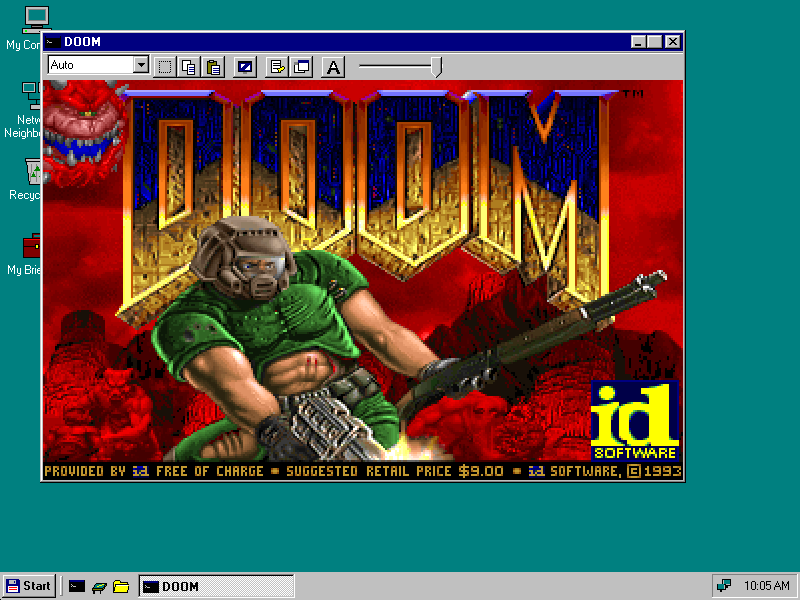
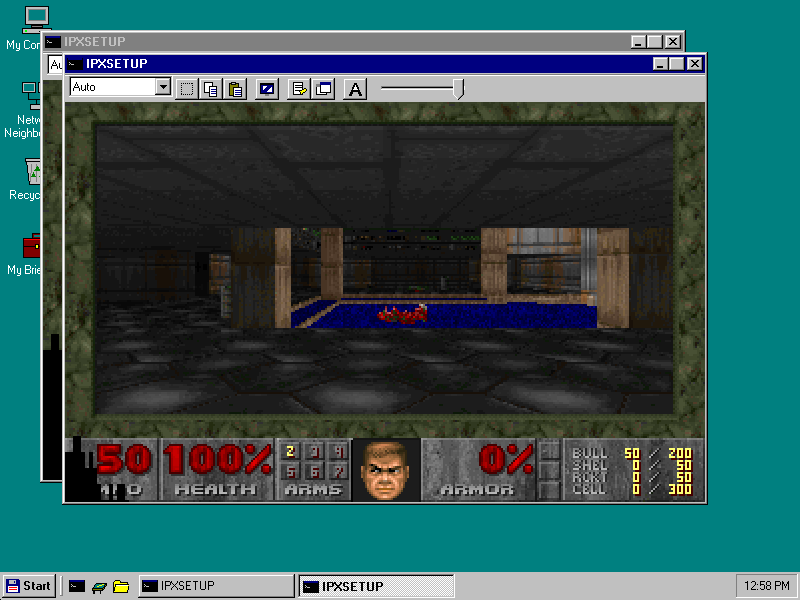
Every DOS box is a virtual machine running real MS-DOS 7.1 directly on the processor in V86 mode, as Windows 95 did it — not a whole emulated PC. Run several at once, in windows or full screen with Alt+Enter, each with the hardware its programs expect.
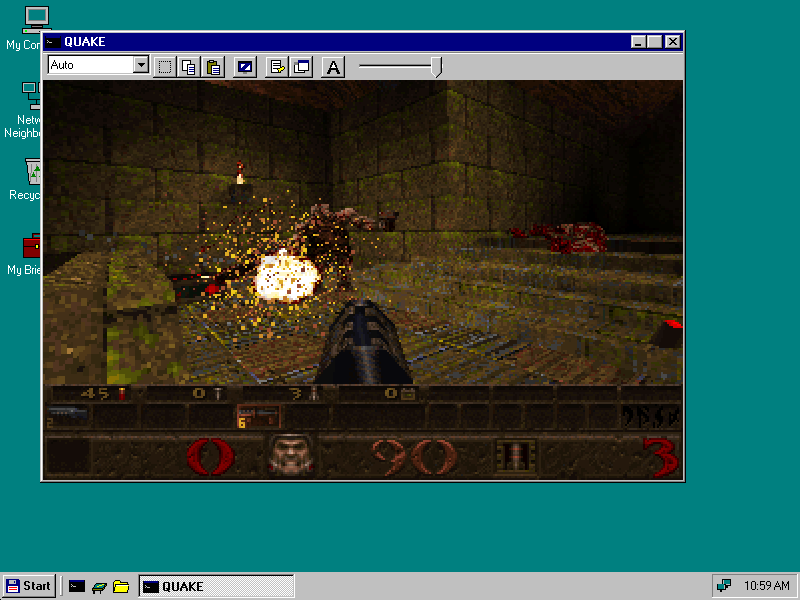
Proven with DOOM, Wolfenstein 3D, Duke Nukem 3D, Quake and dozens more.
Windows
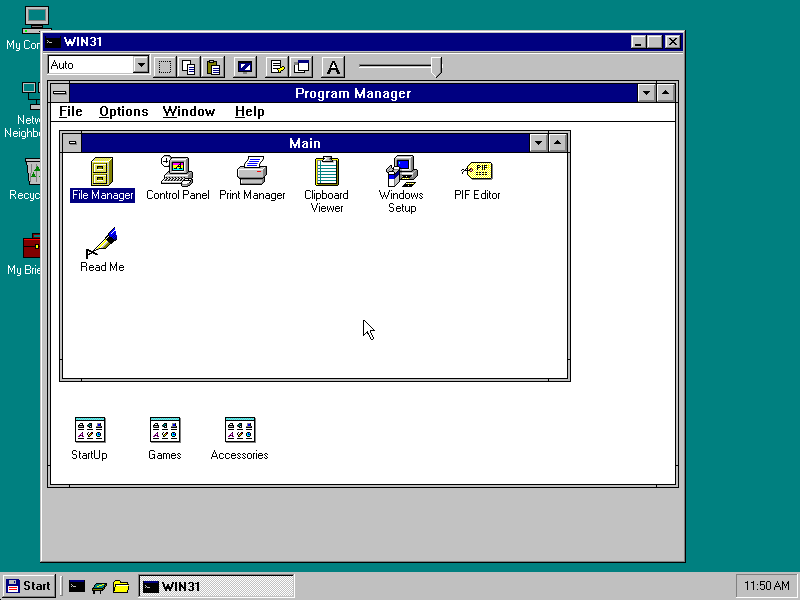
Windows programs run through Wine 11 as a system service, each in a real DOS95 window with the Windows 95 look. And Windows 3.1 is built in: a whole session in its own window, Program Manager and all, running on DOS95's own drivers — true colour at any VESA mode, Sound Blaster sound and MIDI, the network through DOS95's TCP/IP, printing, and the clipboard shared with the desktop. 16-bit programs also run on their own through Wine.
64-bit Windows programs, on a 32-bit system. On an x86-64 PC, DOS95 keeps its 32-bit kernel — and its DOS boxes — and runs 64-bit processes beside 32-bit ones, as Mac OS X 10.5 did. Today's 64-bit-only programs just run.
Macintosh
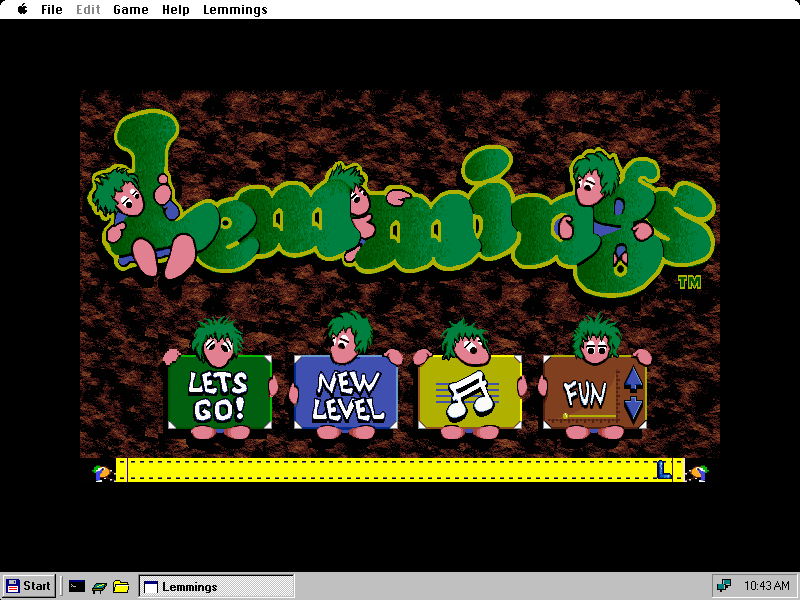
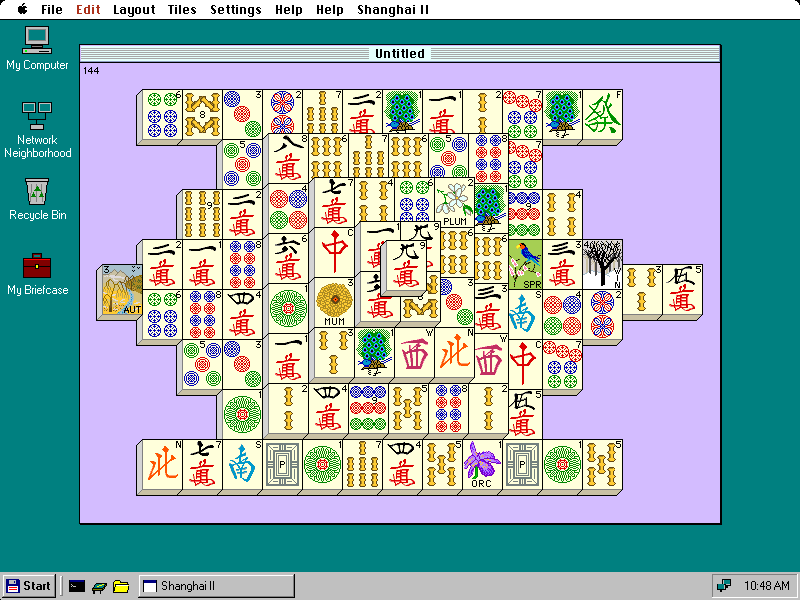
Mac programs from the System 7 to Mac OS 9 era run through Executor 2000, which re-implements the Mac's Toolbox the way Wine re-implements Windows: no Apple ROM and no Apple system software needed. One session runs every Mac program at once; their windows sit on the desktop beside DOS and Windows ones, with a Mac menu bar that appears while they run.
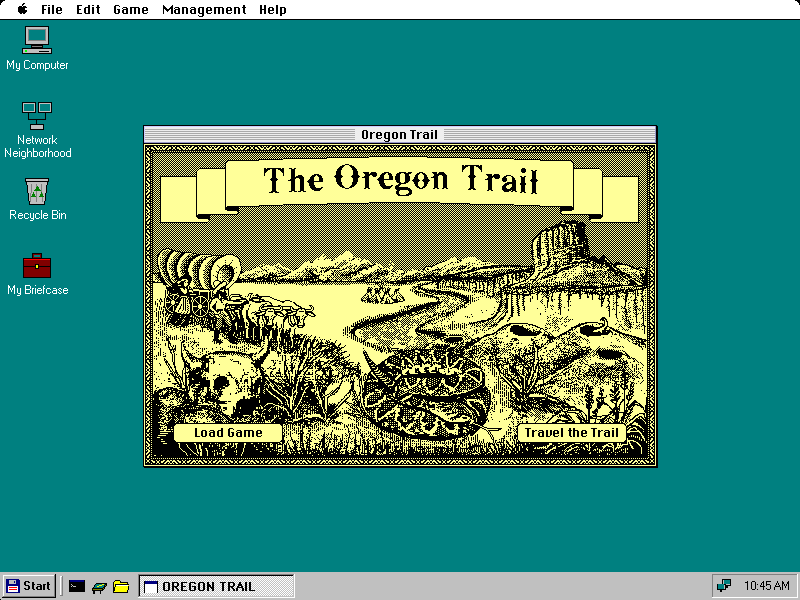
Proven with Lemmings, Glider 4, The Oregon Trail, Shanghai II, Prince of Persia, Kid Pix, MacWrite and more.
One system for every generation. Setup looks at the processor and memory and chooses the right defaults for that PC: lighter on a 486, everything on a modern machine.
486
486DX2-66 and up
Legacy BIOS, ISA or VLB VGA with VESA, Sound Blaster, IDE, PS/2 or serial mouse. The full desktop and DOS boxes, with lighter defaults.
Pentium
Pentium 100–200
PCI SVGA with VBE 2.0, Sound Blaster 16, IDE, ISA or PCI network cards.
Pentium II / III
233 MHz to 1 GHz
AGP cards, AC'97 sound, USB, Intel or Realtek network cards.
Today's PC
Multi-core x86-64
UEFI-only firmware, NVMe and AHCI, xHCI USB, HD Audio. Every core used, and 64-bit Windows programs.
Legacy BIOS PCs boot directly. UEFI-only PCs boot through CSMWrap with SeaBIOS (Secure Boot off). One hybrid ISO works as a CD or a USB stick, on BIOS and UEFI.
Display drivers for QEMU, VirtualBox and VMware SVGA II, and the network and sound cards they emulate. Most people will try DOS95 in a virtual machine first; it is made to feel at home there.
IDE with DMA, AHCI, NVMe, CD/DVD, floppy; USB 1.1 to 3 with keyboards, mice and sticks; Sound Blaster, AC'97, HD Audio, USB Audio; NE2000, Intel e100/e1000/e1000e/igb, Realtek RTL8139, AMD PCnet, virtio-net.
ACPI power-off and restart, suspend to RAM, and Shut Down back to the MS-DOS prompt with DOS's memory as it was — exactly the Windows 95 way.
A complete, everyday system — not a demo. Each feature below is checked by an automated boot test that drives the real system.
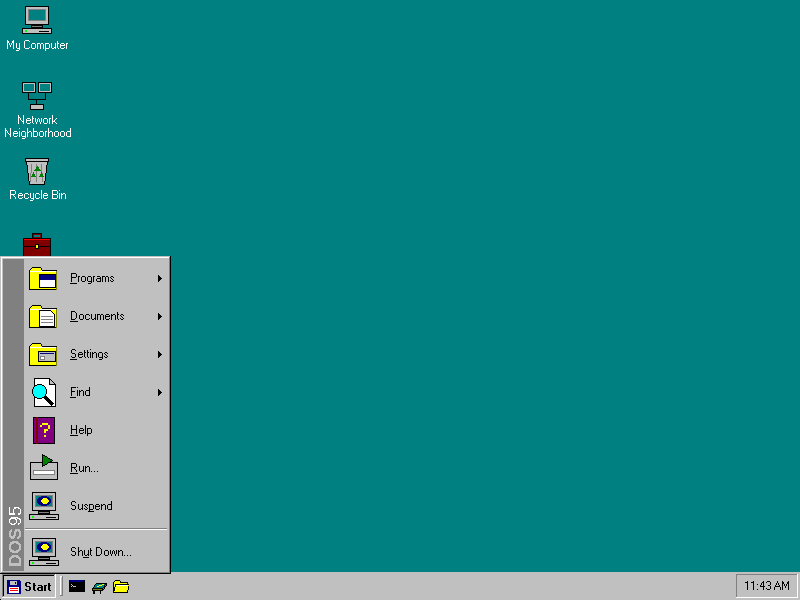
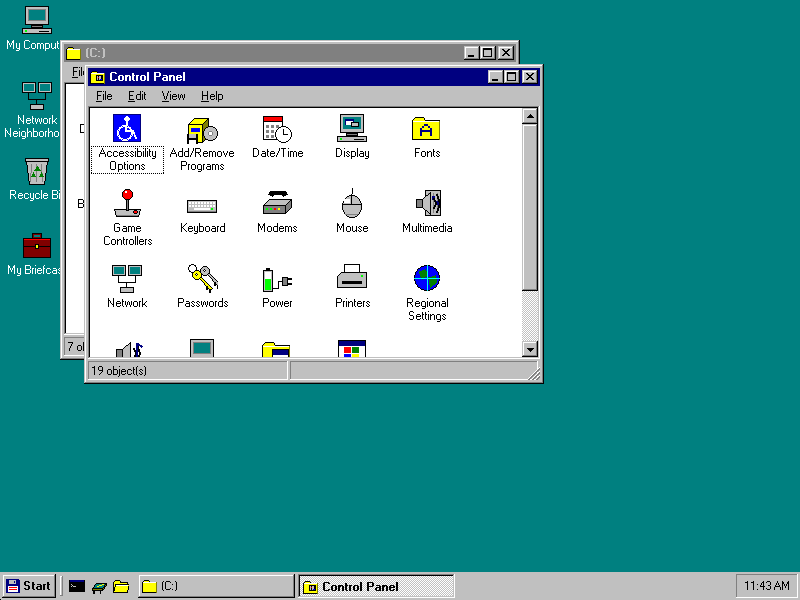
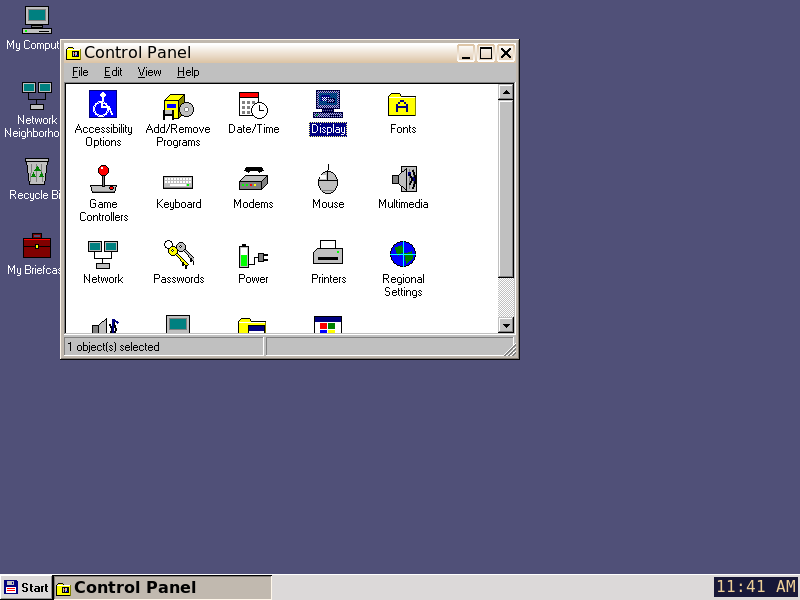
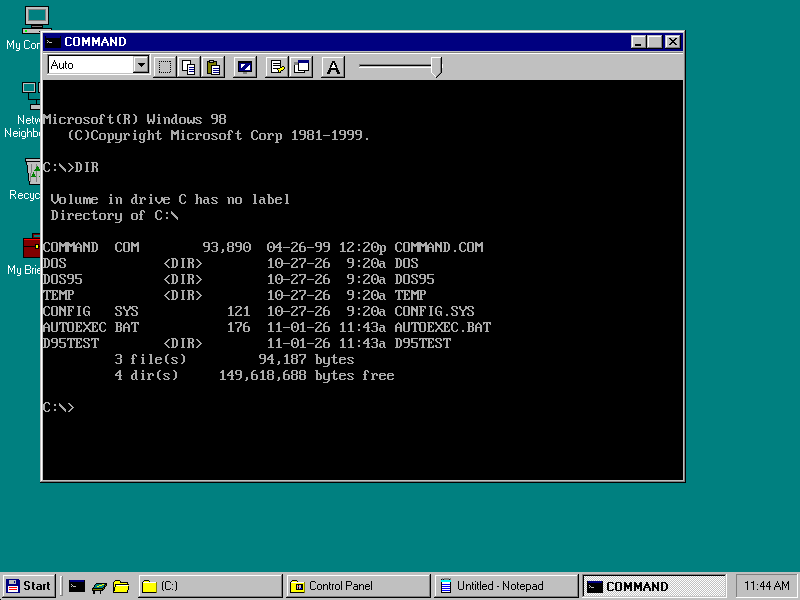
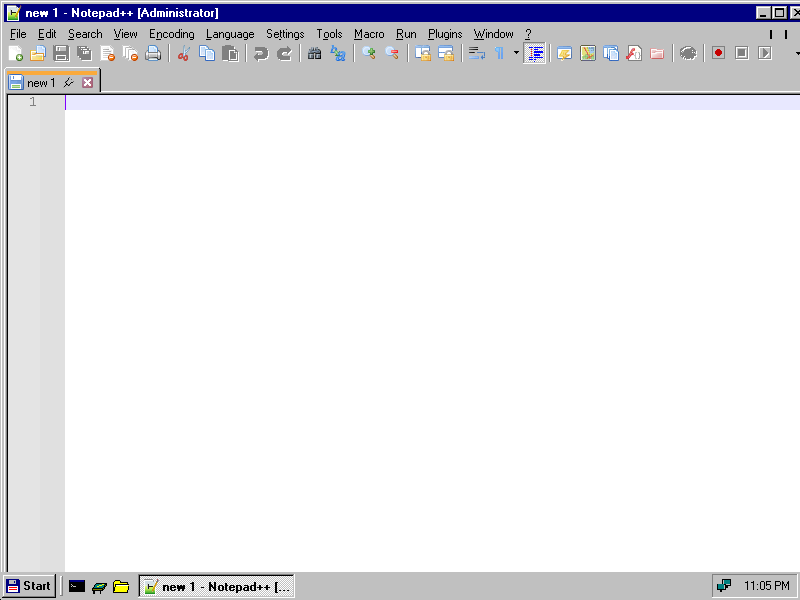
Explorer with drag and drop, Send To and Undo; the Recycle Bin; .LNK shortcuts and hot keys; Find; Alt+Tab; Quick Launch and the tray; Notepad, Calculator, Registry Editor and Help.
On Ctrl+Alt+Del, Windows XP-style: applications, processes with priority and affinity, and a performance graph for every processor.
Any IceWM theme — frames, title buttons, menus, taskbar and desktop — checked pixel for pixel against IceWM itself. Fading menus and tooltips, screen savers, wallpapers.
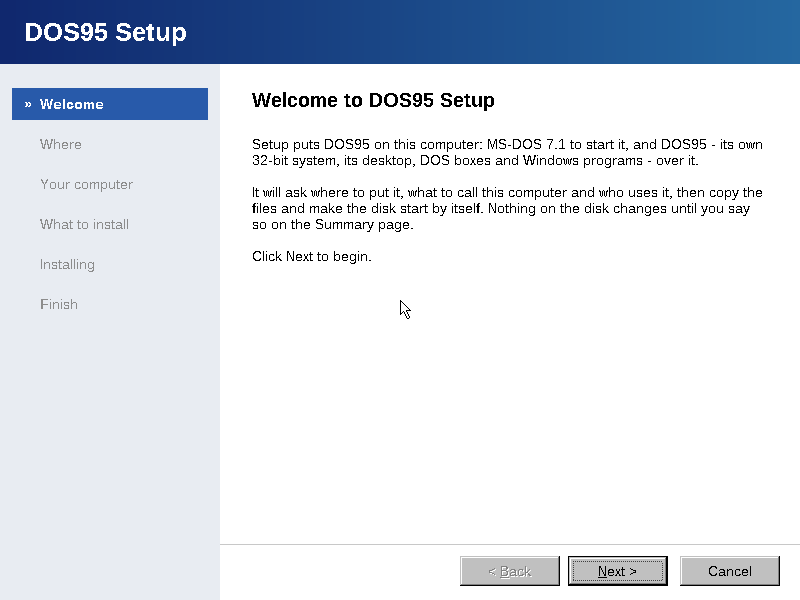
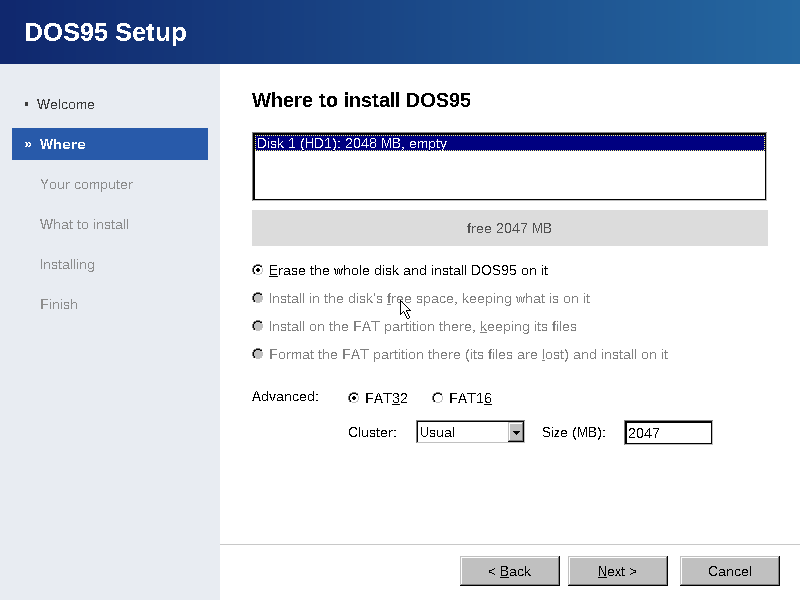
A Windows 95-style wizard with the mouse from the first page: partition and format the disk, name the computer, choose the network and components, then copy from cabinets with a progress bar.
One-click installs from a store of signed packages (Ed25519). DOS95 Update brings fixes the Windows Update way, and stays quiet when the store can't be reached.
OpenGL through Mesa's llvmpipe, spread across every core; Direct3D through Wine's wined3d; 3dfx Glide 2 through OpenGLide. 64-bit programs get their own 64-bit Mesa.
A sound server mixes every program and DOS box ahead of the card, with no gaps even under load. MIDI on FM, FluidSynth wavetable or MT-32; recording; a Volume Control in the tray.
TCP/IP in the kernel (lwIP) with DHCP and DNS, set up in Control Panel > Network. Windows programs get Winsock 2 and HTTPS; DOS games get IPX.
Browse the workgroup, map drives on Windows, Samba and NAS shares over SMB 1, 2 and 3, and share your own folders with other PCs.
A spooler with Ghostscript: PostScript to PCL, ESC/P and PDF, on parallel and serial ports. DOS, Windows, Windows 3.1 and Mac programs all print.
FAT12, FAT16 and FAT32 with long names, exFAT, CDs (ISO 9660, Joliet, Rock Ridge), and NTFS and ext2/3/4 read-only. Drive letters by Windows 95's rules.
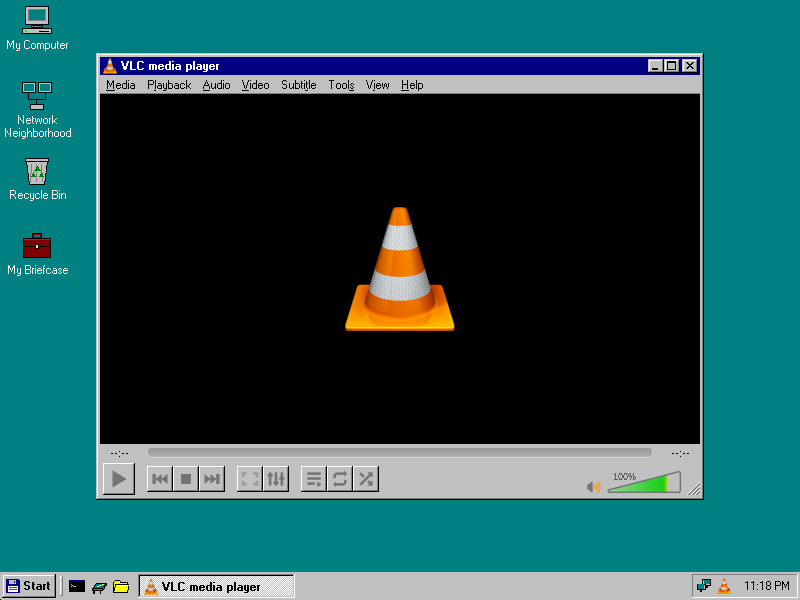
Compilers and the system's frozen interfaces for new DOS95 programs. DOS95's own Media Player, built with it, plays MP4, WebM, AVI and MP3.
A real product, not a proof of concept: what each part costs in memory, start time and disk is measured, and a test fails when it costs more.
Measured on virtual machines with DOS95's own tests.
Free, shareware and classic programs, one click each. Every package is tested on DOS95 before it is published: installed from the store, started from its Start menu entry, and its first screen checked.
7-Zip, Notepad++, KeePassXC, WinSCP, PuTTY, SumatraPDF, Total Commander, WinMerge, VLC, Audacity, LMMS, foobar2000, Norton Commander, Turbo Pascal 5.5
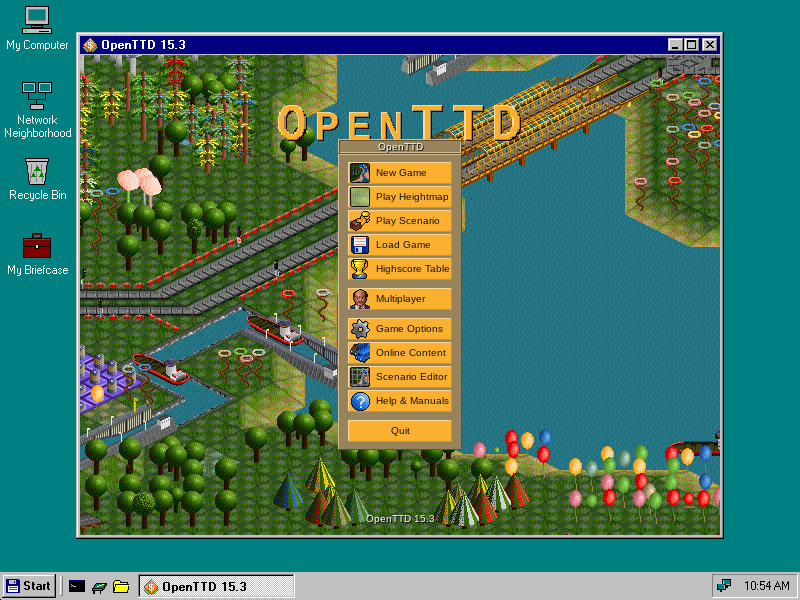
DOOM, Quake, Duke Nukem 3D, Commander Keen, Jazz Jackrabbit, SimCity, Civilization, Prince of Persia, Zork, OpenTTD, Cave Story, SkiFree, Chip's Challenge, the Second Reality demo
Lemmings, Glider 4, The Oregon Trail, Shanghai II, Prince of Persia, Bolo, Battle Chess, Crystal Quest, Kid Pix, MacWrite, SuperPaint
Nothing is re-invented that already does the job. DOS95 stands on these projects, and thanks everyone who builds them.
The design also draws on DOSEMU's and DOSBox's knowledge of DOS hardware.
A new 32-bit operating system that runs on top of MS-DOS 7.1, as Windows 95 did. The PC boots MS-DOS; DOS95 then loads its own kernel, takes over the machine and starts its window system and desktop. Shut Down hands the PC back to DOS as it was. Everything you see is DOS95's own, made to work like Windows 95.
None of these. DOS95 has its own kernel, its own window system and its own shell. DOS programs run directly on the processor in V86 mode, and Windows programs run as native processes through Wine — no PC is emulated. The one exception is the Mac: its 68k and PowerPC code is a different processor, so Executor interprets it.
V86 mode, which runs DOS boxes at full speed, exists only in 32-bit mode — that is why Windows 95 was 32-bit too. DOS95 keeps its 32-bit kernel for DOS boxes and for 486s, and on an x86-64 PC it switches the processor into 64-bit mode for 64-bit programs, as Mac OS X 10.5 did.
At least a 486DX2-66 with 32 MB of memory, and a FAT16 or FAT32 partition. Mac programs need a processor with SSE2. 64-bit Windows programs need an x86-64 processor; Setup chooses them when the PC has 512 MB of memory or more.
Yes. DOS95 starts from MS-DOS 7.1, the DOS of Windows 98, exactly as Windows 95 started from its DOS, and every DOS box runs real MS-DOS. MS-DOS is Microsoft's software and is not part of DOS95's own code.
No. Windows programs run through Wine and Mac programs through Executor; neither needs any Microsoft or Apple system files. Windows 3.1 comes with DOS95, ready in its own window, for anyone who wants the real thing.
Yes. DOS95 is tested in QEMU (as a 486, a Pentium, a Pentium III and a modern PC, with one to eight processors) and in VirtualBox, which should be left on its default BIOS firmware. It has display drivers for QEMU, VirtualBox and VMware SVGA II.
Yes, through CSMWrap, which brings SeaBIOS along as a compatibility module and boots the same partition the BIOS way. Secure Boot and “Above 4G Decoding” must be turned off in the firmware's setup; Setup tells you so.

DOS95 is in beta. Builds will be published on this page.
MS-DOS 7.1 is needed to start DOS95 (see the questions above).